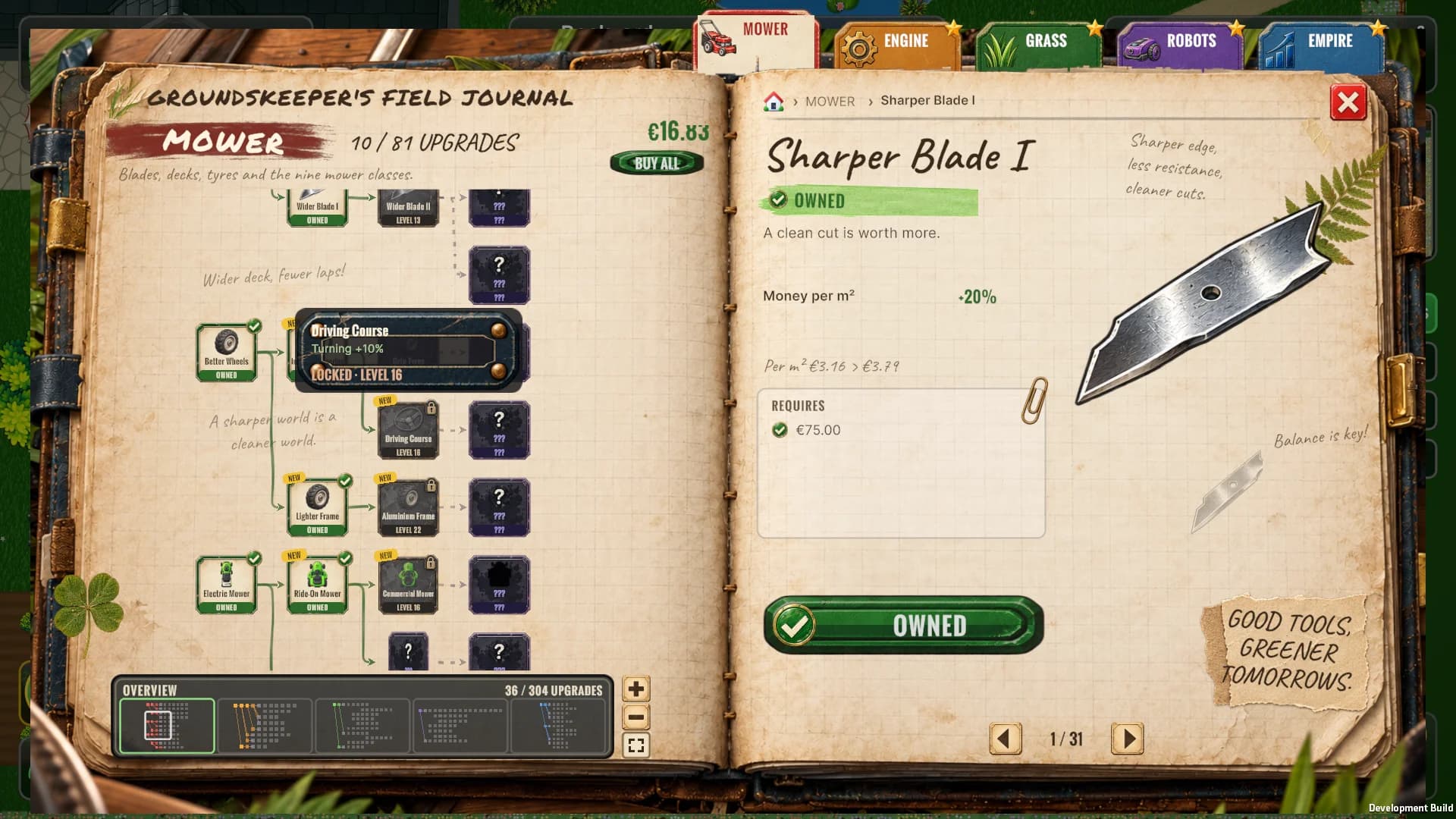
Upgrades are what keep you mowing, so they deserved better than a dark window full of boxes. The tech tree is now the groundskeeper's own field journal.
An open notebook
The tree opens as a worn notebook on the workbench. The left page holds the upgrades, the right page tells you everything about the one you picked: a big painting, what it does, what it needs, what it costs and a fat green PURCHASE button. Coloured tabs for Mower, Engine, Grass, Robots and Empire stick out from behind the pages, and the open one stands up a little higher.
Drawn by hand
The arrows between upgrades are inked by hand. Well, by code: every line wobbles a little and swells like a real pen, with rounded corners and an inked arrowhead. Paths you have unlocked turn green, and paths to upgrades you haven't discovered yet are dashed. The groundskeeper scribbles notes in the margins ("A sharper world is a cleaner world.") and keeps a pressed clover between the pages.
The whole tree at a glance
Every branch opens zoomed to fit the page, so you see the whole tree at once. Zoomed far out, the cards show just their picture: hover one to read its name, effect and price. Scroll to zoom in, and use the overview map at the bottom of the page to jump to another branch or to any spot in a big one.
Robots get their own tab
All robot upgrades (fleet size, models, decks, motors and care) moved from the garage into a ROBOTS tab in the journal. It opens with your fleet at a glance: how many robots you have, which model they drive and how many are mowing off-site. The garage is back to what it does best: showing off your mowers.
Still a mystery
Upgrades you haven't discovered are still ink-splattered "???" cards, and they flip over the moment you unlock what comes before them.
Next up
New painted tabs, a wax seal for every season and more pencil doodles are already on the drawing board.