Not every update is about new gameplay. Sometimes it is about how the game feels the moment you start it. This time: a fresh coat of paint.
The design editor in the studio style
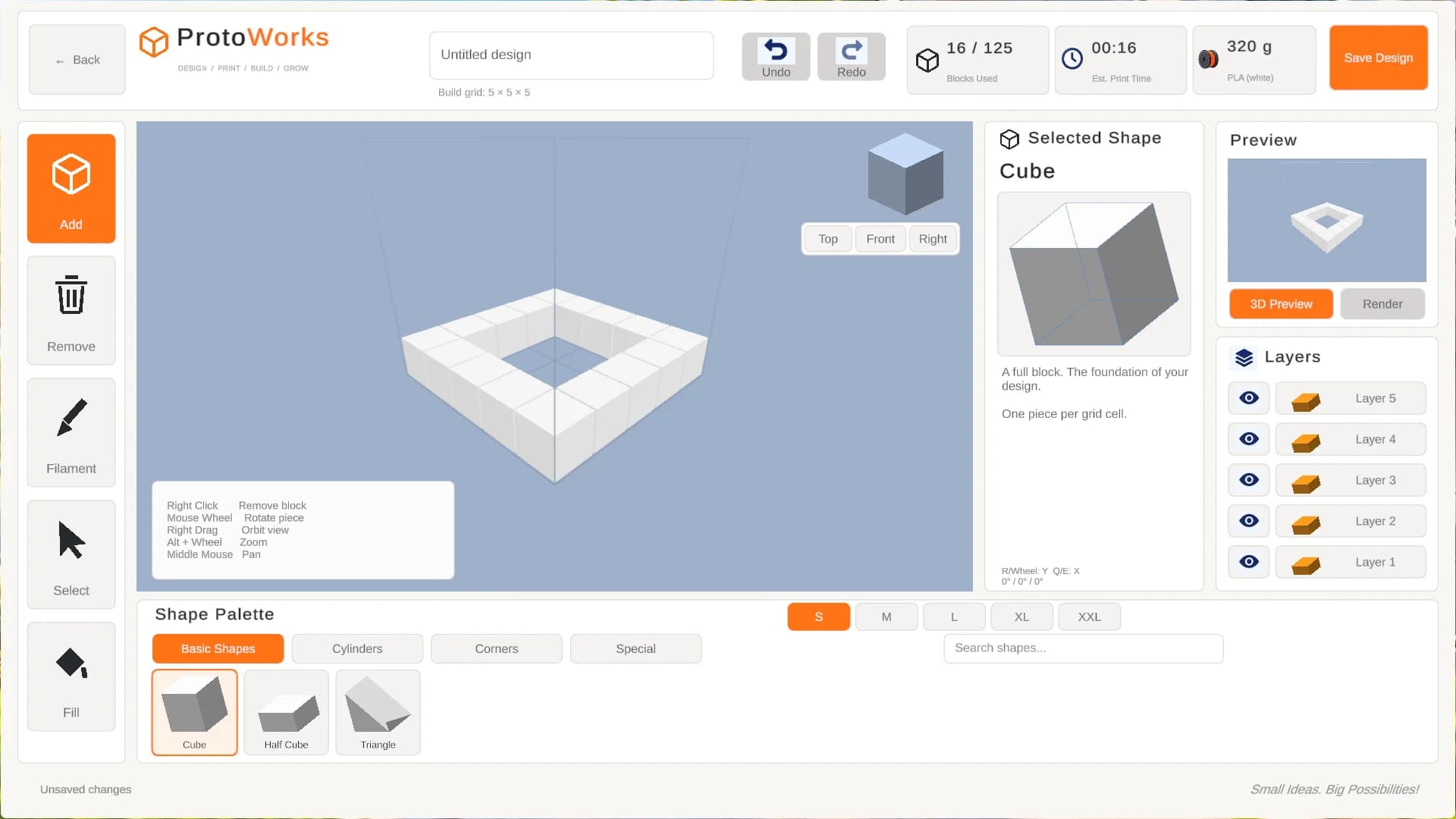
The design editor is where you spend a lot of your time. It used to look like a dark tool panel. Now it has the same light, friendly studio look as the rest of the game: a bright workspace, orange accents, clear tool buttons on the left and your shapes and layers neatly next to your design. It feels less like software and more like a creative workshop.
Hello from Clipstore
When you start the game you are now greeted by a short studio intro: the Clipstore logo, our slogan "Small studio, big ideas" and a voice-over. Seen it before? Press a key and you go straight to the main menu.
Pointer and crosshair
The plain white mouse arrow has been replaced by a ProtoWorks pointer in our own colours: pearl white, navy blue and a touch of orange.
In the game itself the little dot in the middle of the screen is now a small crosshair. Look at something you can use and it gently opens up and turns from blue to orange. That way you always know when you can interact, without any extra text on your screen.
To be fair
Tiny details like these are easy to miss. But together they make the game feel more and more like one whole, and that is worth it to us.